Supply chain planning software that runs the plan, not just draws it
Demand, S&OP, procurement, inventory across every location and redistribution — one loop instead of five disconnected tools and a spreadsheet. Likwid plans it, then its agents go and do it. Live in weeks, on top of the ERP you already run.
Works with SAP, Odoo & Tally · no rip-and-replace
See your plan built from your own demand, stock and lead times
Thirty minutes on your own data, no slide deck. We reply within a day.
What is supply chain planning software?
Supply chain planning software decides what you'll need, when, and where — then turns that into what you buy, make and move.
It covers demand forecasting and demand planning, sales & operations planning (S&OP), supply and procurement planning, inventory across every location, and re-planning when things change. Your ERP records what already happened. Planning software decides what happens next — and with Likwid, it also goes and does it.
Five stages. Miss one and the plan leaks.
Most teams buy a tool for one of these and keep the other four in spreadsheets. That's where the gap — and the money — goes.
Every echelon, one plan
Scroll to watch it build, one echelon at a time — demand up to the company plan and procurement, then supply back down to every location.
Demand sensed at every region and SKU — the shelf, not a national average.
See demand forecastingRegional demand rolled up into one consensus plan, the regional shape kept intact.
The requirement hands to procurement — vendors, RFQs and POs — carrying the split.
See how procurement runs itSupply arrives against the plan, netted across stock, in-transit and open POs.
Back to every region — via the corporate hub, or straight from source.
Most planning software stops at the number
It hands you a forecast and a replenishment proposal, and someone on your team still lists the shortfalls, calls six vendors, waits three days for quotes and retypes the PO. Likwid's agents carry the plan through — triaging the proposals, sourcing over email and voice, drafting the order for you to approve.
See the procurement autopilotThese 10 items lack the order history for a reliable forecast — verify 200ml Brute Amber (5,700) and Mackoff Labels (4,300) against actual consumption before committing.
| Item | Qty | Conf | Pattern |
|---|---|---|---|
| 200ml Brute Amber - 18 gm | 5,700 No | — | — |
| Mackoff 100ml - Arkedia Labels | 4,300 No | — | — |
| Packaging Polybag | 4,000 No | — | — |
| Pet Bottle - 100ml Brute Round | 2,500 No | — | — |
Planning isn't done until the stock moves
Fulfilled supply has to reach the demand that started it. Likwid runs both routes — straight to the location, or via a central hub — and mixes them per SKU and per node.
Via the corporate hub
Supply lands at the corporate hub (Root), then cascades to each regional warehouse on the regional plan — consolidation, cross-dock and tighter control.
- Lead time
- +1 hop via Root
- Touches
- 2 — receive, cascade
- Control
- Central, consolidated
- Cross-dock
- Yes, at Root
- Best for
- High-value · batch-controlled
The plan, in a screen your team will actually open
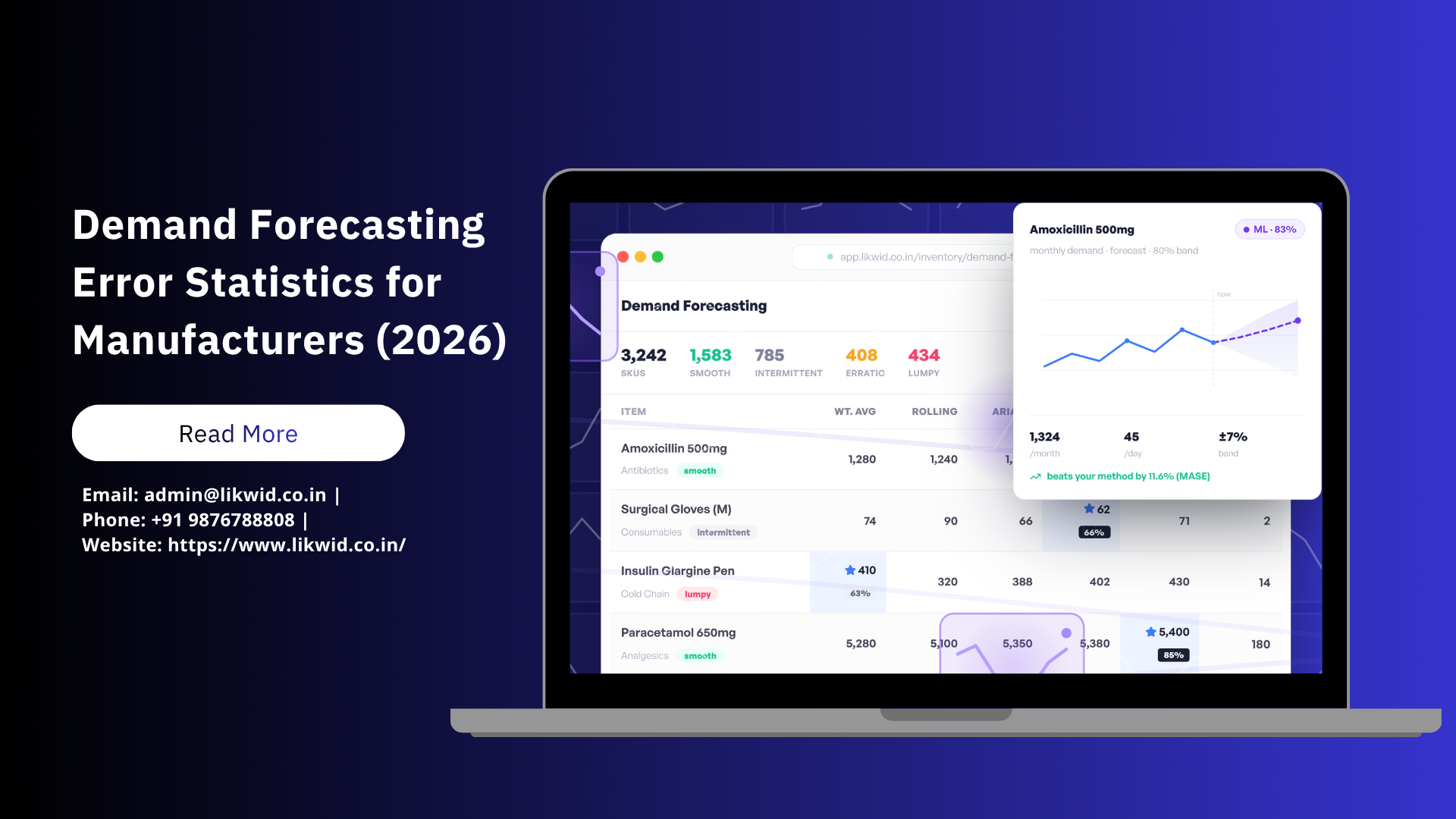
Not an Excel add-in and a training course. Every SKU at every location, the method picked per item, the confidence band shown, and the demand pattern named — so a planner can see in a glance which numbers to trust and which to check.
Explore demand forecasting| Item | Per Day |
|---|---|
| Amoxicillin 500mgAntibioticssmooth | 44 |
| Surgical Gloves (M)Consumablesintermittent | 2 |
| Insulin Glargine PenCold Chainlumpy | 14 |
| Paracetamol 650mgAnalgesicssmooth | 180 |
| Cotton Roll 500gConsumablessmooth | 68 |
How to choose supply chain planning software
Five questions worth asking every vendor on your shortlist — including us.
Weighing the enterprise suites? Compare the SAP IBP and Kinaxis alternatives.
Does it plan the whole loop, or one slice of it?
A forecasting tool that doesn't reach procurement, or a replenishment tool that can't see demand, leaves the gap exactly where the money leaks. Ask to see demand, S&OP, buying and redistribution as one flow before you buy any part of it.
Does it act, or only advise?
Most planning software hands you a number and stops. Someone still chases the vendors, cuts the PO and arranges the transfer. Ask what the software does after the plan is agreed — that's where the weeks go.
How long before it's actually running?
The gap between signing and a working plan is where most planning projects die. Ask for a date, not a phase plan — and ask what your team has to build versus what ships working.
Does it sit on top of the ERP you already run?
You should not have to migrate your system of record to plan better. Anything that needs a core replacement first is a much bigger decision than the one you're making.
Can your team run it without hiring a planning department?
Enterprise planning suites assume trained planners driving scenarios. If you don't have that bench, the tool quietly goes unused and everyone drifts back to the spreadsheet.
Illustrative of how the platform is designed to behave — actual figures depend on your catalogue, data and starting point.
Supply chain planning, answered
See how the plan runs for your kind of business.
Explore the rest of the platform
See the plan run on your own numbers
A 30-minute walkthrough — demand to a company plan, procurement, and stock back to every location. In weeks, on top of your ERP.